Compare
SliceFocus and Structured, side by side.
Both lay your day out as a visual plan instead of a list. They differ in the shape of the plan, in what happens when a block ends, and in what they leave to other apps. Here is what each one does, and who it suits.
Who each one suits
- Structured suits you if your day is a mix of tasks, calendar events and routines, you want it on an iPhone, iPad, Apple Watch or Mac, and you want a planner that takes in your calendars and reminders.
- SliceFocus suits you if you plan in blocks, work in Pomodoro rhythm, and want one 24-hour clock whose timer carries you from focus to break and back on its own, with a shield for distracting apps and sites.
If you need Apple Watch or iPad as a first-class device, or recurring tasks and routines, Structured is the better fit today. SliceFocus is built for the iPhone and the Mac.
The facts, checked
| SliceFocus | Structured | |
|---|---|---|
| Platforms | iPhone and Mac | iPhone, iPad, Mac, Apple Watch (the listing also shows Apple Vision) |
| Price | Free | Free with in-app purchases; Pro is monthly, yearly or lifetime |
| Shape of the day | One 24-hour clock, 00:00 at the top | A drag-and-drop timeline |
| Pomodoro timer | Built in, on every block | Pomodoro focus timer in the free tier; Intervals are Pro |
| Auto-advance from focus to break | Yes; a setting turns it off | Not stated on its listing |
| App and website blocking | Focus Shield, on iPhone, Mac and Safari | Not listed |
| Sync across devices | Your plan, and one live session on iPhone and Mac | Syncs across iPhone, iPad, Apple Watch and Mac |
| Live Activity | Yes, the countdown on the lock screen | Yes, in the free tier |
| Calendar and Reminders | Calendar events on the clock; blocks export to a calendar | Calendars and Reminders connect in Pro |
Structured’s side comes from its own App Store listing and site, checked on 26 October 2026. Apps change; if something here is out of date, tell us and we will fix it.
What SliceFocus doing it looks like
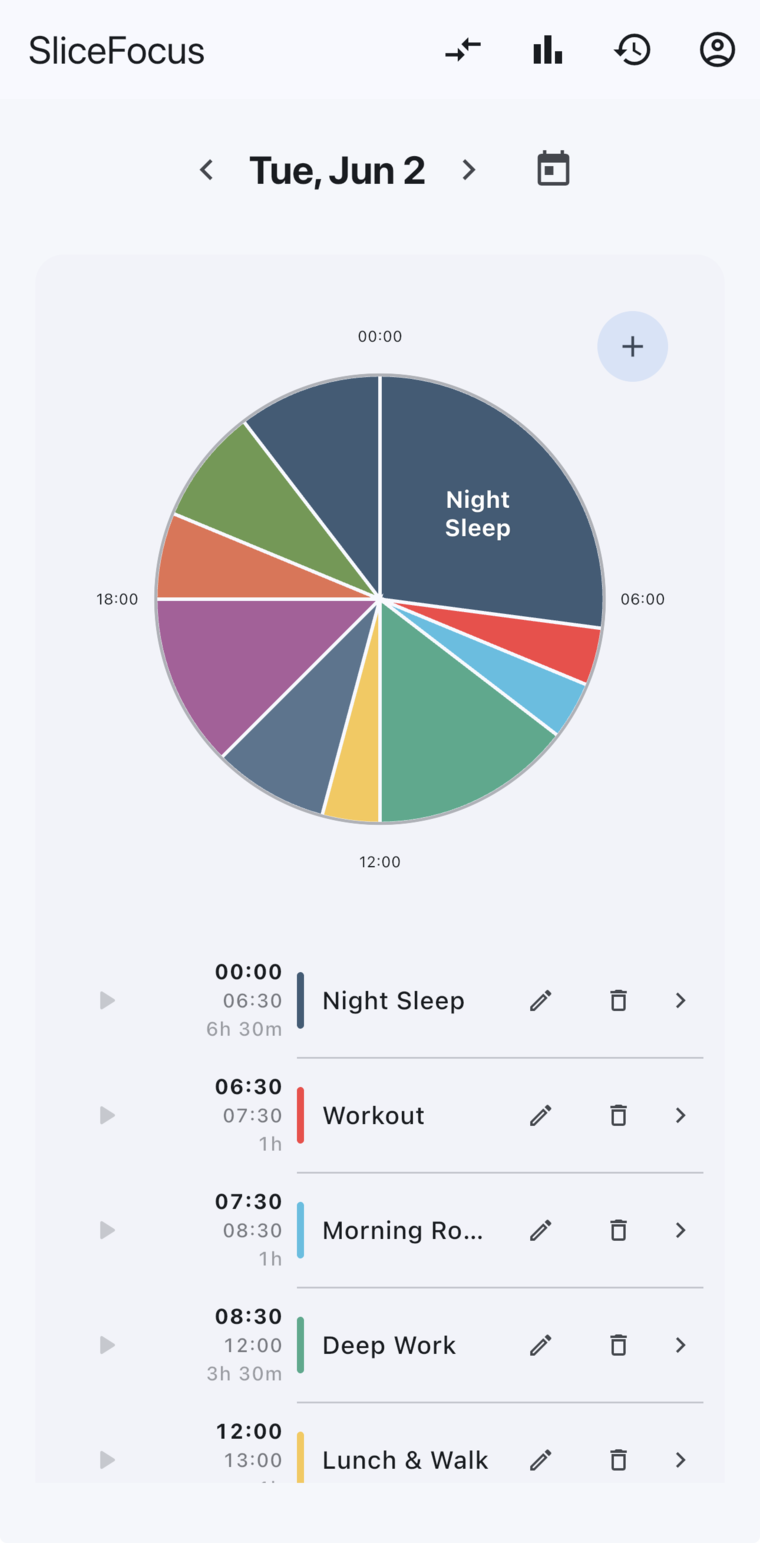
A day sketched as blocks on the 24-hour clock, with the live time marker and the blocks listed below.

Want to see how it runs? The home page has short clips of planning a block and of the timer handing over from work to break.