
Compare
SliceFocus and Forest, side by side.
Both help you stay with one thing for a stretch of time and keep your phone from pulling you away. Forest turns the stretch into a tree you grow; SliceFocus turns it into a block on a day you planned. Here is what each one does, and who it suits.
Who each one suits
- Forest suits you if you want a single timer with a reward in it: a tree that grows while you focus and dies if you give up. It also runs on Android and in the browser, and it has group sessions with friends.
- SliceFocus suits you if you plan the day first and want focus to follow the plan: blocks on a 24-hour clock, work handing over to break and back by itself, and a shield for distracting apps and sites on iPhone and Mac.
If you are on Android, or you want to focus together with friends, Forest is the one to pick. SliceFocus is built for the iPhone and the Mac.
The facts, checked
| SliceFocus | Forest | |
|---|---|---|
| Platforms | iPhone and Mac | iPhone, iPad, Android, and a Chrome and Firefox extension |
| Price | Free | Free with in-app purchases; Plus is an optional subscription |
| Idea | Blocks on a planned day | A tree that grows while you focus |
| 24-hour view of the day | Yes, a 24-hour clock | Not listed |
| Auto-advance from focus to break | Yes; a setting turns it off | Auto-focus after breaks is a Plus feature |
| App blocking | Focus Shield, during work phases | Deep Focus blocks other apps in a session; allow lists on iOS 16 and up (Plus) |
| Website blocking | Safari, and Chrome with the SliceFocus Focus Shield extension | A browser extension with Deep Focus and the timer |
| Sync across devices | Your plan, and one live session on iPhone and Mac | Account and focus history sync across devices |
| Live Activity | Yes, the countdown on the lock screen | Not stated on its listing |
| Focusing with friends | No | Plant Together, on iOS and Android |
Forest’s side comes from its own App Store listing and site, checked on 26 October 2026. Apps change; if something here is out of date, tell us and we will fix it.
What SliceFocus doing it looks like
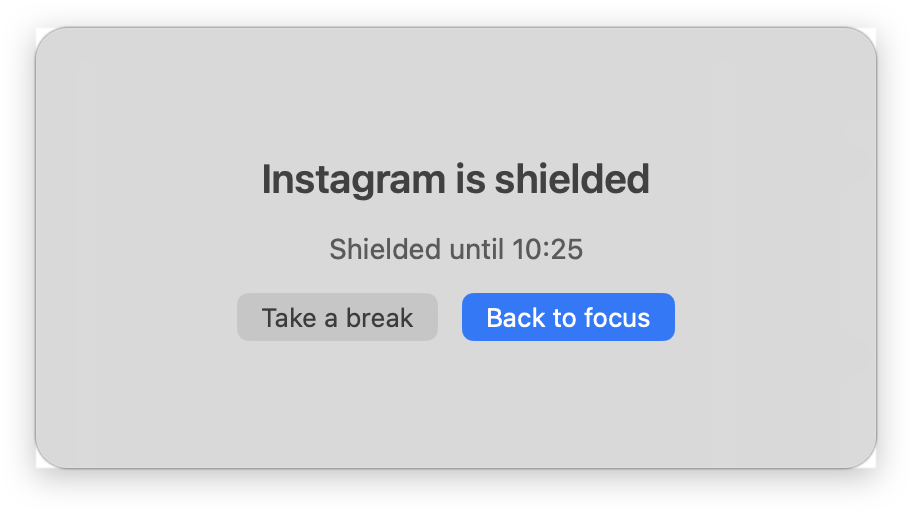
This is the shield window on the Mac. A listed app is held back for the work phase, and the break lets it back in.

The Focus Shield guide shows the setup on iPhone, Mac, Safari and Chrome.