
Compare
SliceFocus and Session, side by side.
Both run a Pomodoro timer on your iPhone and your Mac and keep the two in step. Session builds a record around the timer: what you worked on, a note on what you learned, and analytics. SliceFocus builds the day around it: blocks on a 24-hour clock that the timer follows. Here is what each one does, and who it suits.
Who each one suits
- Session suits you if the timer is the centre of your work and you want a record of it: categories, a note on each session, and analytics by day, week and month. On the Mac its Pro plan also blocks websites in Brave and Edge as well as Safari and Chrome, and it can be automated with Shortcuts and AppleScript.
- SliceFocus suits you if you plan the day first and want focus to follow the plan: blocks on a 24-hour clock, work handing over to break and back by itself, and a shield for distracting apps on iPhone and Mac. It is free.
If you block websites in Brave or Edge, or you automate your Mac with Shortcuts and AppleScript, Session is the one to pick. SliceFocus covers Safari and Chrome only, and has no automation.
The facts, checked
| SliceFocus | Session | |
|---|---|---|
| Platforms | iPhone and Mac | iPhone, iPad and Mac |
| Price | Free | Free, with a Pro subscription |
| Idea | Blocks on a planned day | A timer that keeps a record of what you worked on and learned |
| 24-hour view of the day | Yes, a 24-hour clock | Not listed; it shows your calendar beside the sessions you completed |
| Auto-advance from focus to break | Yes; a setting turns it off | A setting starts the break when a session ends |
| App blocking | Focus Shield, during work phases | In Pro. Its pricing page says Mac only; its guide also names iOS |
| Website blocking | Safari, and Chrome with the SliceFocus Focus Shield extension | Safari, Chrome, Brave and Edge on the Mac, in Pro |
| Sync across devices | Your plan, and one live session on iPhone and Mac | Real-time sync between devices, in Pro |
| Live Activity | Yes, the countdown on the lock screen | Yes, and on Apple Watch with watchOS 11 |
| Calendar | Calendar events on the clock; blocks export to a calendar | Calendar events shown in the app; finished sessions saved to Apple Calendar in Pro |
| Record of your work | Planned against actual, and weekly trends by category | Categories, notes and analytics; the free plan shows the last 2 days |
| Automation | No | Apple Shortcuts, AppleScript and Slack muting, in Pro |
Session’s side comes from its own App Store listing, site and pricing page, checked on 5 November 2026. Apps change; if something here is out of date, tell us and we will fix it.
What SliceFocus doing it looks like
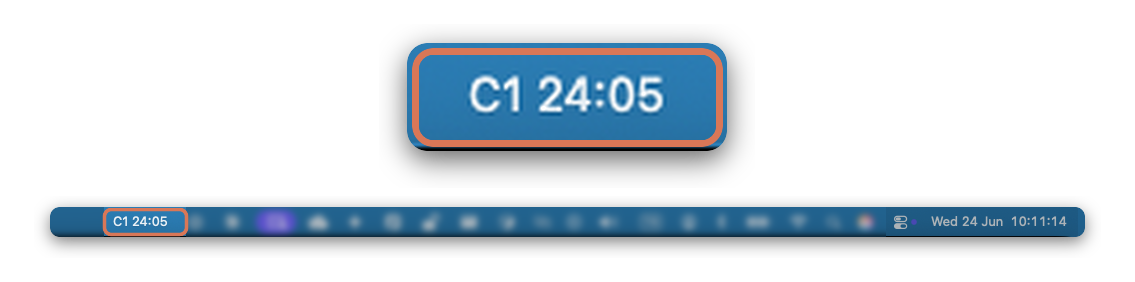
One session on both devices. Start it on the Mac and the iPhone shows the same countdown; this is the timer in the Mac menu bar.

The Focus Shield guide shows the setup on iPhone, Mac, Safari and Chrome.