 SliceFocus
Plan your day on a clock.
It runs itself.
Made for people who use time blocking and Pomodoro.
SliceFocus lays your day out on a 24-hour circle and moves from one focus block to the next on its own — no timers to start, no taps between tasks.


One app for iPhone and Mac.
How it works
Draw your day. Then let it carry you.
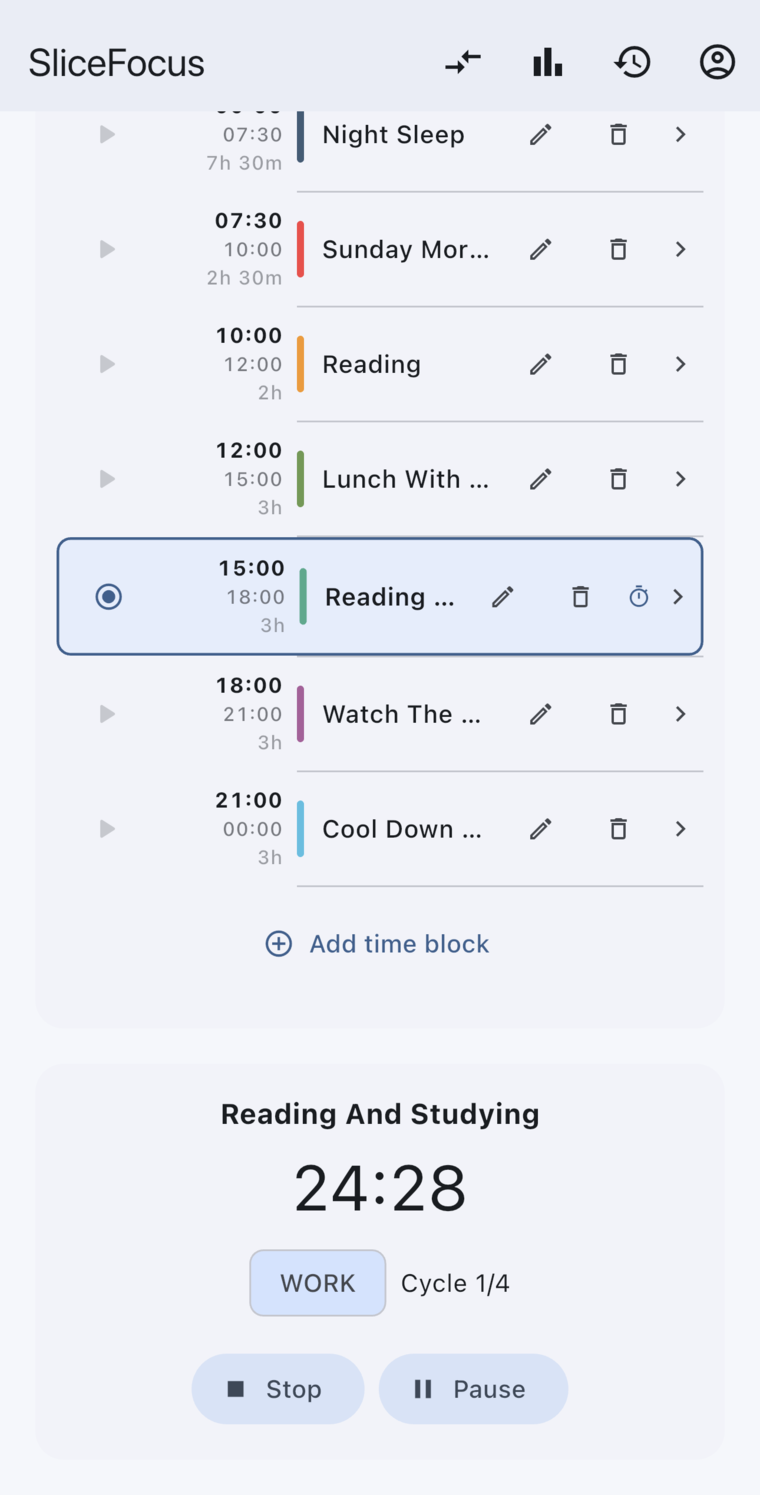
Sketch your day as colored blocks on a 24-hour radial canvas — one glance shows where your time actually goes. Tap a block to start a focus session with a built-in Pomodoro timer.
When a block ends, the next one begins on its own. No alarm to dismiss, no “start” button to find — you just keep working while the clock moves underneath you.
Features
Everything you need to follow your day, in one quiet app.
Plan on a 24-hour radial canvas
Sketch your whole day as colored blocks on a single clock face — one glance shows where your time actually goes.
Your day, in your own categories
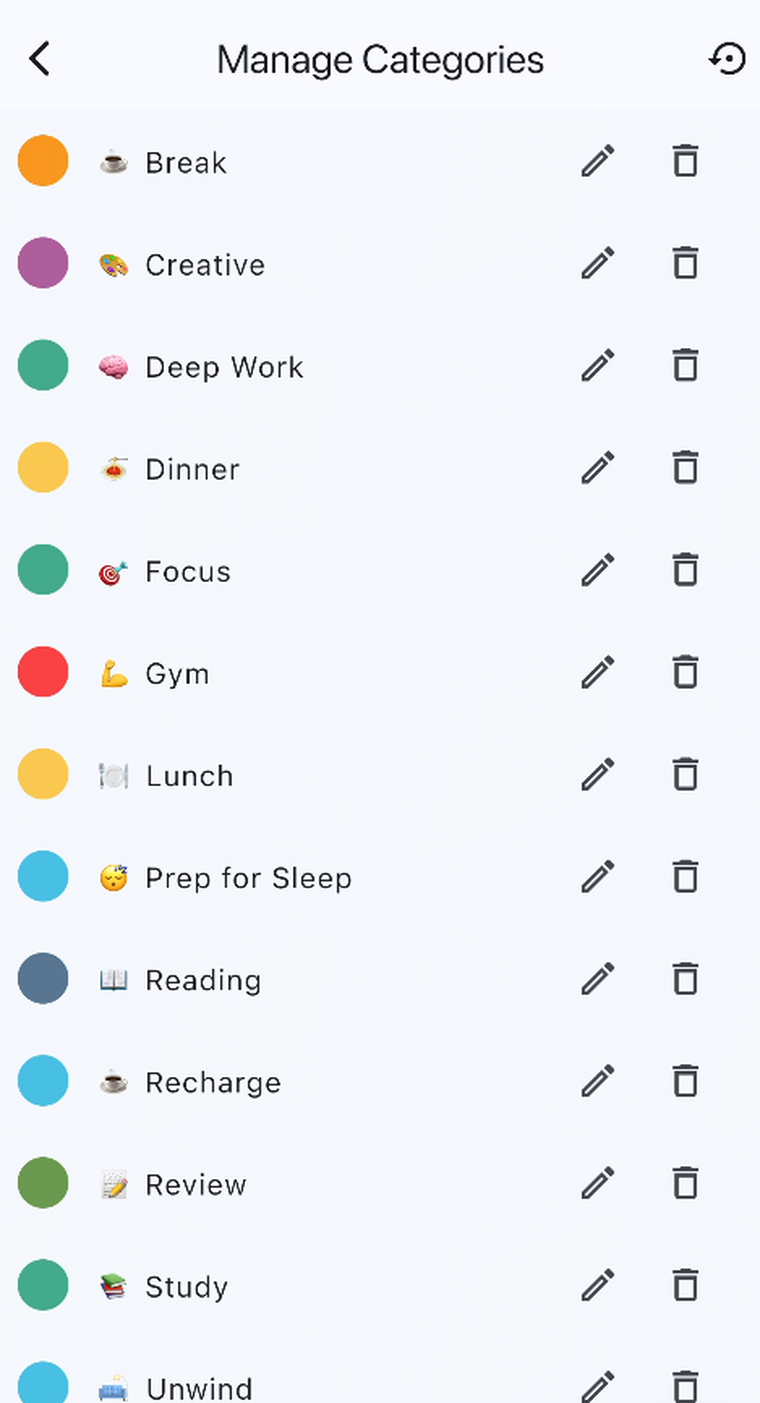
Group your blocks into categories you create — name, color, and emoji included. Tag a block with more than one, start from a curated starter pack, and your categories follow you across devices.
Works with your calendar
Events from your system calendar appear right on the clock, so you plan around what’s already booked. It goes the other way too: export your planned blocks to any calendar you choose, and edits you make in the Calendar app flow back into SliceFocus.
You can also have a reminder created automatically every time you save a block.
A built-in Pomodoro for deep work
Tap any block to start a focus session. Set your work and break lengths once; the countdown keeps you in the zone.
Soundscapes that keep you under
White, brown, and pink noise, built into every session. Preview each sound before you pick, switch mid-session right from the timer, and when you pause the timer the sound pauses with it.
A timer that runs on your lock screen
Lock your phone and the countdown keeps going, right on the lock screen — no need to keep the app open or awake.
On Mac, a Pomodoro timer in your menu bar
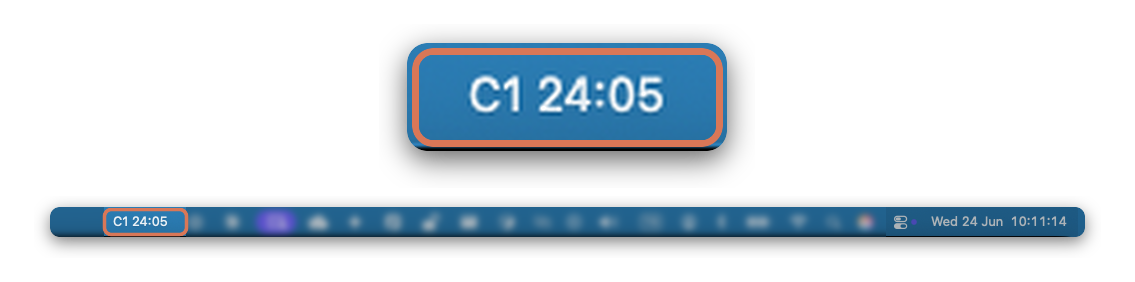
SliceFocus runs on your Mac too. The active block’s countdown lives in the menu bar, so your remaining focus time stays in sight while you work — no window to keep open.
The label shows your Pomodoro cycle and time left: “C1 24:05” means you’re in cycle 1 with 24:05 to go.
Gentle session & break nudges
When a focus stretch ends, a calm notification hands you your break — then starts the next block on its own.
Once a week, a recap lands with your focus summary — tap it to see how the week actually went. Both are optional and live in Settings.
Planned vs. actual
See how your real day stacked up against your plan, with the time you actually spent laid over what you intended.
Trends & analytics
Watch your focus minutes add up over the week, split them by category, and spot the patterns in how you spend your time.
Why it works
Built on how attention actually behaves.
SliceFocus leans on a few things the research is fairly clear about:
-
Switching tasks leaves part of your attention stuck on the one you just left — what researchers call attention residue.
Leroy, “Why is it so hard to do my work?” — Organizational Behavior and Human Decision Processes, 2009.
-
Deciding in advance when and where you’ll do something reliably improves follow-through.
Gollwitzer & Brandstätter, “Implementation Intentions and Effective Goal Pursuit” — Journal of Personality and Social Psychology, 1997.
-
Interruptions don’t just cost the moment — getting your focus back afterward takes real mental effort.
Mark, Gudith & Klocke, “The Cost of Interrupted Work” — Proc. CHI, 2008.
-
Seeing your plan laid out in front of you offloads work your memory would otherwise have to carry.
Kirsh & Maglio, “On Distinguishing Epistemic from Pragmatic Action” — Cognitive Science, 1994.
These are findings about attention and planning in general, not studies of SliceFocus. We just tried to build with the grain of them.
Early days
Built in the open — and just getting started.
SliceFocus is young and moving fast: new features land every release, shaped directly by the people using it. There’s no subscription required — just download it and start planning. If something feels rough or you have an idea, we’d genuinely like to hear it.